

Crisis Core: Final Fantasy VII PPSSPP Walkthrough
If you’re a fan of classic RPGs, then Crisis Core: Final Fantasy VII is a must-play title. Originally released for the PlayStation Portable (PSP), this legendary game tells the emotional backstory leading up to Final Fantasy VII. Now, thanks to the powerful PPSSPP emulator, you can enjoy this masterpiece on your Android device with improved graphics and performance.
In this detailed guide, we’ll explore gameplay, features, setup instructions, and cheat codes to enhance your experience.

Introduction to Crisis Core
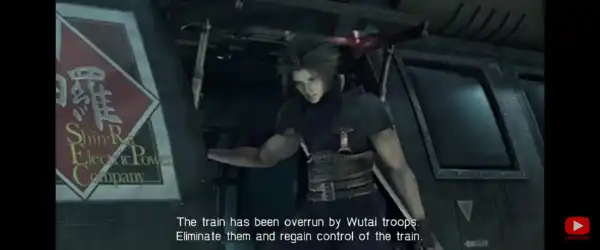
Crisis Core: Final Fantasy VII follows the story of Zack Fair, a SOLDIER operative working under the Shinra Electric Power Company. The game dives deep into Zack’s journey, friendships, and the events that ultimately shape the story of Cloud Strife and Sephiroth.
Unlike traditional turn-based RPGs, Crisis Core features a real-time combat system, making battles more dynamic and engaging. The game also introduces the unique Digital Mind Wave (DMW) system, which adds random effects during combat.
Why Play Crisis Core on PPSSPP?
Playing Crisis Core on PPSSPP offers several advantages over the original PSP experience:
1. Enhanced Graphics
PPSSPP allows you to upscale the resolution, making textures sharper and more detailed than ever before.
2. Smooth Gameplay
Even mid-range Android devices can run the game smoothly with the right settings.
3. Save States
You can save your progress anytime, making it easier to retry difficult missions.
4. Custom Controls
Adjust on-screen buttons or connect a controller for a better gaming experience.
5. Cheat Code Support
Use cheat codes to unlock unlimited health, money, and other powerful advantages.
How to Download and Install Crisis Core on Android
Follow these steps to start playing:
Step 1: Install PPSSPP Emulator
Download and install the PPSSPP emulator from the Google Play Store.
Step 2: Download ISO File
Get the Crisis Core ISO file from a trusted website. Make sure the file is complete and not corrupted.
Step 3: Extract the File
If the game is in ZIP or RAR format, extract it using apps like ZArchiver.
Step 4: Launch the Game
- Open PPSSPP
- Locate the ISO file
- Tap to start playing
Best PPSSPP Settings for Crisis Core
To enjoy lag-free gameplay, use these optimized settings:
Graphics Settings
- Rendering Resolution: 2x PSP (increase if your device supports it)
- Frameskipping: Off
- Texture Scaling: On
- Hardware Transform: On
- Lazy Texture Caching: On
System Settings
- Fast Memory: On
- Multithreading: On
These settings will give you a balance between performance and visual quality.
Gameplay Overview
The gameplay in Crisis Core is fast-paced and action-packed. Players control Zack directly in battles and can:
- Perform melee attacks
- Use magic spells via Materia
- Activate Limit Breaks
- Dodge and guard enemy attacks
The DMW system is one of the most unique mechanics. It works like a slot machine that spins during combat and can trigger:
- Healing effects
- Special attacks
- Summons
- Temporary buffs
Key Features of the Game
1. Deep Storyline
The emotional story of Zack Fair is one of the strongest aspects of the game.
2. Real-Time Combat

Unlike classic Final Fantasy games, combat happens in real time.
3. Materia System
Customize your abilities with different Materia combinations.
4. Side Missions
Hundreds of missions offer extra rewards and help level up faster.
5. Character Progression
Upgrade stats, unlock skills, and become stronger as you progress.
Crisis Core PPSSPP Cheat Codes
Cheat codes can enhance your gameplay by removing limitations and unlocking powerful features.
Important: Enable cheats in PPSSPP settings before using them.
Infinite HP
_L 0x2025B6D4 0x3F800000
Infinite MP
_L 0x2025B6D8 0x3F800000
Max Gil (Money)
_L 0x2025B6E0 0x0098967F

Max SP
_L 0x2025B6E4 0x0098967F
Unlock All Items
_L 0x8034F2D8 0x00FF0001
_L 0x100000FF 0x00000000
Always Critical Hits
_L 0x2025B700 0x00000001
How to Enable Cheats in PPSSPP
Follow these steps carefully:
- Open PPSSPP
- Go to Settings > System
- Enable “Enable Cheats”
- Start the game
- Open the in-game menu
- Tap on Cheats
- Add your cheat codes and activate them
Tips and Tricks for Beginners
1. Focus on Materia Fusion
Combining Materia can create stronger abilities and boost stats.
2. Complete Side Missions
They provide valuable rewards and help you level up quickly.
3. Use DMW Wisely
Pay attention to DMW effects—they can turn the tide of battle.

4. Balance Attack and Defense
Don’t just attack—blocking and dodging are equally important.
5. Upgrade Equipment
Better gear makes a big difference in tough battles.
Common Problems and Fixes
Lag Issues
- Lower rendering resolution
- Turn on frameskip
Black Screen
- Switch graphics backend (OpenGL/Vulkan)
Game Crashes
- Update PPSSPP to the latest version
- Use a stable ISO file
Is Crisis Core Worth Playing Today?
Absolutely. Even years after its release, Crisis Core: Final Fantasy VII remains one of the best RPGs available on PSP. Its emotional story, engaging combat system, and deep gameplay mechanics make it a timeless classic.
With PPSSPP, you can experience the game in a whole new way—better visuals, smoother gameplay, and added features like cheat codes.

Conclusion
Crisis Core: Final Fantasy VII PPSSPP is the perfect combination of nostalgia and modern convenience. Whether you’re a longtime Final Fantasy fan or a newcomer, this game offers an unforgettable experience.
By using the PPSSPP emulator, optimizing settings, and applying cheat codes, you can fully enjoy everything the game has to offer without limitations. Dive into Zack Fair’s journey, explore the world of Shinra, and relive one of the most emotional stories in gaming history.