
FIFA 2021 PPSSPP – PSP ISO Walkthrough
If you’re a football gaming enthusiast looking to enjoy a modern FIFA experience on your Android device, FIFA 2021 PPSSPP is a fantastic option. Although FIFA 21 was never officially released for the PlayStation Portable (PSP), modders have created an updated version using older FIFA PSP titles. This modded version includes the latest transfers, kits, improved graphics, and realistic gameplay—making it feel close to the original FIFA 21.
In this complete guide, you’ll learn everything about FIFA 2021 PPSSPP ISO, including features, requirements, download setup, installation steps, best settings, and gameplay tips.
What is FIFA 2021 PPSSPP?
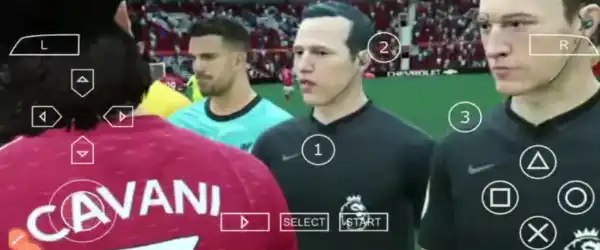
FIFA 2021 PPSSPP is a modded PSP game that runs on the PPSSPP emulator for Android. Since PSP hardware cannot support modern FIFA titles, developers modified older FIFA versions (like FIFA 14 PSP) and updated them with new content such as:
- Latest player transfers
- Updated kits and team logos
- Enhanced graphics and textures
- New tournaments and leagues
This allows players to experience a “FIFA 21-like” game on low-end and mid-range Android devices without needing a high-end console.
Features of FIFA 2021 PPSSPP
One of the biggest reasons behind the popularity of FIFA 2021 PPSSPP is its impressive features. Here are the highlights:
1. Updated Squads & Transfers
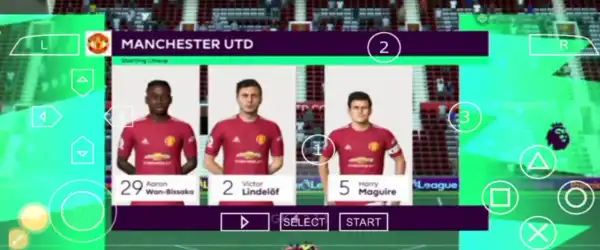
All major clubs feature updated 2020/2021 season squads, including star players and recent transfers.
2. HD Graphics & Textures
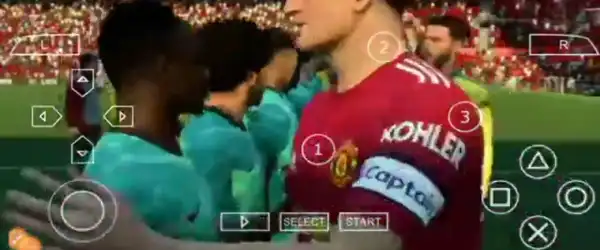
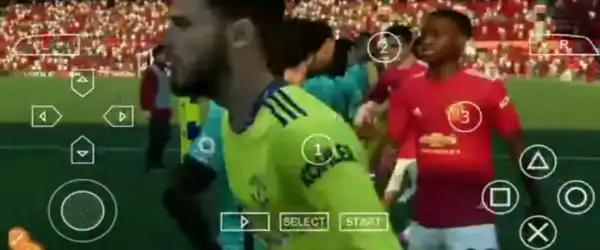
With the help of texture packs, the game offers improved visuals, better player faces, realistic stadiums, and enhanced lighting effects.
3. Realistic Gameplay
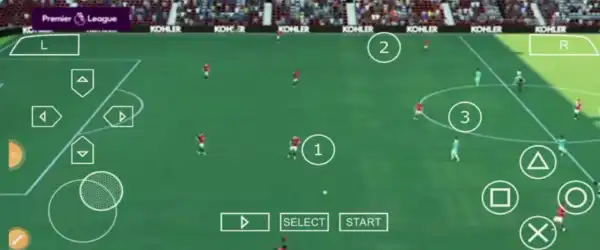
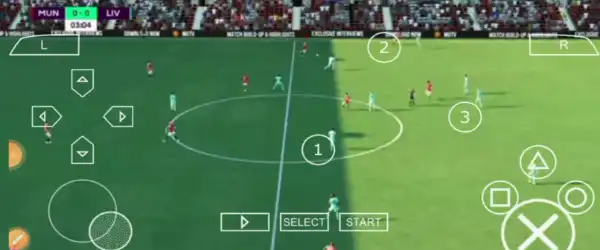
Passing, dribbling, shooting, and defending mechanics feel smooth and responsive, making gameplay enjoyable.
4. Offline Mode
You can play the game completely offline, making it perfect for users without constant internet access.
5. Commentary & Sound Effects
The game includes improved commentary and realistic crowd sounds for a more immersive experience.
6. Multiple Game Modes
Enjoy different modes like:
- Career Mode
- Tournament Mode
- Quick Match
- UEFA Competitions
7. Save Data Support
Pre-loaded save data unlocks teams, leagues, and other features instantly.
Requirements for Android Devices
Before installing FIFA 2021 PPSSPP, ensure your device meets the following requirements:
- Android Version: 5.0 or above
- RAM: Minimum 2GB (3GB recommended)
- Storage: At least 1.5GB free space
- PPSSPP Emulator installed
- ZArchiver or similar file extractor
A better processor (Snapdragon or equivalent) will ensure smoother gameplay.
Files Included
When downloading FIFA 2021 PPSSPP, you’ll typically get:
- ISO File (main game)
- Save Data Folder
- Textures Folder (for HD graphics)
Each file plays an important role in enhancing the overall experience.
How to Install FIFA 2021 PPSSPP on Android
Follow these steps carefully to install and run the game:
Step 1: Download All Files
Download the ISO, Save Data, and Textures files from a trusted source.
Step 2: Extract Files
Use ZArchiver to extract all downloaded files.
Step 3: Move Files to Correct Locations
- ISO File → Place anywhere (e.g., Downloads folder)
- Save Data → PSP/SAVEDATA
- Textures → PSP/TEXTURES
If these folders don’t exist, create them manually.
Step 4: Install PPSSPP Emulator
Download the PPSSPP emulator from the Google Play Store and install it.
Step 5: Launch the Game
- Open PPSSPP
- Navigate to the ISO file location
- Tap the file to start the game
The game should now run successfully.
Best PPSSPP Settings for FIFA 2021
To enjoy smooth and lag-free gameplay, use the following recommended settings:
Graphics Settings
- Rendering Resolution: 1x (low-end) or 2x (mid-range)
- Frame Skipping: Off
- Postprocessing Shader: Off
- Texture Scaling: Off
- Hardware Transform: On
- Lazy Texture Caching: On
System Settings
- Fast Memory: On
- Multithreaded: On
- I/O on Thread: On
Audio Settings
- Enable Sound: On
- Low Latency: On
These settings will significantly improve performance and reduce lag.
Gameplay Experience
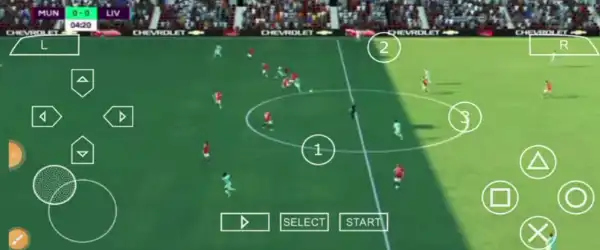
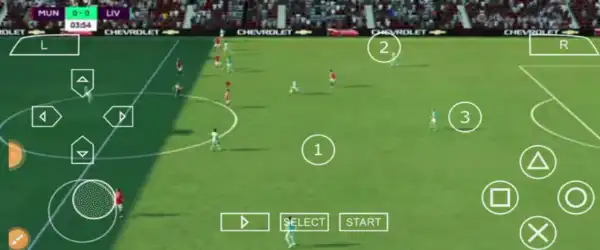
FIFA 2021 PPSSPP delivers an engaging football experience with smooth controls and responsive gameplay. The improved AI ensures competitive matches, while updated teams and kits make the game feel modern.
The addition of HD textures enhances visuals, making player faces, stadiums, and kits look more realistic. Commentary and crowd atmosphere further elevate the gaming experience.
Whether you’re playing Career Mode or quick matches, the gameplay remains fun and addictive.
Tips to Play Better
To improve your gameplay skills, follow these tips:
- Master passing and ball control
- Use sprint wisely to avoid losing possession
- Practice skill moves to beat defenders
- Adjust camera settings for better visibility
- Learn formations and tactics
- Play regularly to improve reaction time
Consistency is key to becoming a better player.
Advantages of FIFA 2021 PPSSPP
- Works on most Android devices
- Offline gameplay support
- Updated squads and kits
- Easy installation process
- Lightweight compared to modern mobile games
Limitations
While the game is enjoyable, it has a few downsides:
- Not an official FIFA 21 release
- Occasional bugs or glitches
- Graphics not as advanced as console versions
- Requires manual setup
Despite these limitations, the game remains highly enjoyable.
Is FIFA 2021 PPSSPP Safe?
Yes, it is safe if you download files from trusted websites. Avoid suspicious links and always scan files with antivirus software. Do not grant unnecessary permissions to unknown apps.
Final Thoughts
FIFA 2021 PPSSPP – PSP ISO + Save Data & Textures is an excellent choice for football fans who want a realistic and enjoyable gaming experience on Android. With updated teams, HD graphics, and smooth gameplay, it successfully brings the excitement of FIFA to mobile devices.
Even though it’s a modded version, it still provides hours of entertainment. By following the installation guide and applying the best settings, you can enjoy a seamless gaming experience anytime, anywhere.