
FIFA 2026 PPSSPP – FC 26 PSP Walkthrough
If you love football games and want to enjoy them on your Android device, then FIFA 2026 PPSSPP – FC 26 PSP is an exciting option to try. This game is a modified version of the classic PSP football series, designed especially for Android users who play games through the PPSSPP emulator. With updated teams, modern kits, new player transfers, improved graphics, and a 4K camera view, this version brings a fresh football experience to mobile gamers.
In this blog post, you will learn everything about FIFA 2026 PPSSPP (FC 26 PSP) including its features, gameplay, graphics improvements, system requirements, and how to download and install it on Android devices.
What is FIFA 2026 PPSSPP?
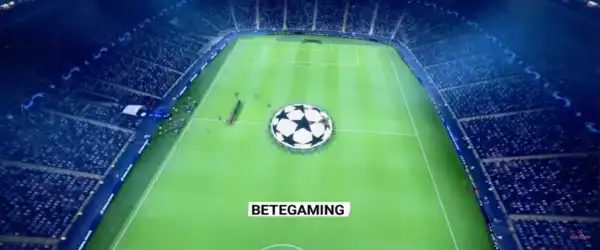
FIFA 2026 PPSSPP is a modded PSP football game based on older FIFA PSP titles but updated with modern football content. Since there is no official FIFA 26 game for PSP, modders have created this version by modifying existing FIFA PSP games and adding updated content from the latest football seasons.
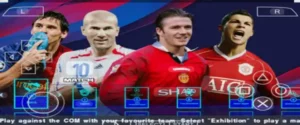
This version includes updated clubs, national teams, players, stadiums, kits, and scoreboards. It also features improved camera angles such as the 4K camera mod, which gives a more realistic broadcast-style gameplay experience.
The game runs using the PPSSPP emulator, which allows players to play PSP games smoothly on Android smartphones.
Features of FIFA 2026 PPSSPP
FIFA 2026 PPSSPP offers many new features that make it more enjoyable compared to older PSP football games.
Updated Teams and Transfers
One of the biggest highlights of this mod is the updated squads. The game includes the latest 2025–2026 player transfers, so you can play with modern team lineups. Top clubs and national teams have updated players, making the game feel closer to real-world football.
New Kits and Logos
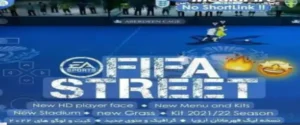
All major clubs now feature new kits for the 2025/2026 season. Team logos, badges, and jerseys are redesigned to match the current football season. This improves the visual authenticity of the game.
4K Camera Mod
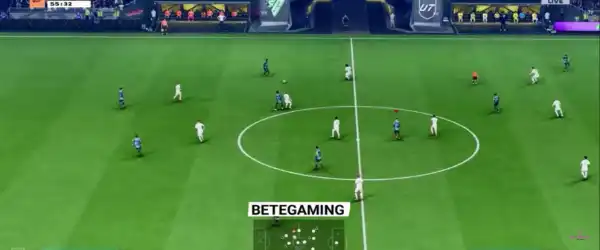
The 4K camera angle is one of the most exciting additions in this version. It offers a wider view of the pitch, similar to modern console football games. This makes gameplay more immersive and realistic.
Improved Graphics
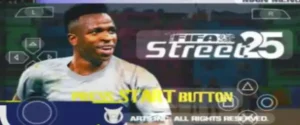
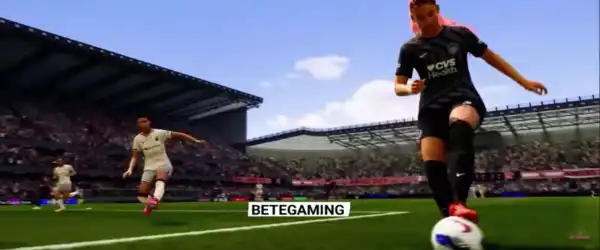
Compared to older PSP football titles, this mod comes with enhanced textures, HD grass, improved player faces, and better stadium visuals. These upgrades make the game look much better on modern Android devices.
Updated Scoreboards and Menus
The game also includes modern-style scoreboards, menus, and overlays inspired by current football broadcasts. This makes the overall presentation look more modern and professional.
Offline Gameplay
One of the best things about FIFA 2026 PPSSPP is that it can be played completely offline. Once the game is installed on your device, you do not need an internet connection to play.
Multiple Game Modes
FIFA 2026 PPSSPP includes several game modes such as:
- Exhibition matches
- Tournament mode
- League competitions
- Cup challenges
- Career-style gameplay
These modes allow players to enjoy different football experiences without getting bored.
Gameplay Experience
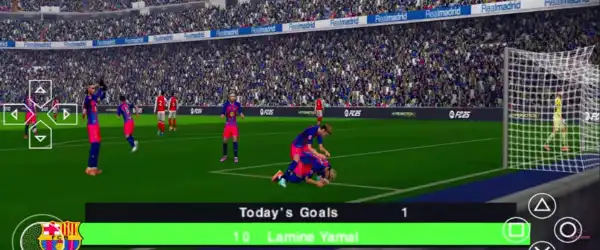
The gameplay in FIFA 2026 PPSSPP is designed to be smooth and enjoyable, especially when played using the PPSSPP emulator with optimized settings. Players can control their teams using virtual touch controls or connect a compatible controller for a more console-like experience.
Passing, shooting, defending, and dribbling mechanics feel responsive. The AI opponents also provide a decent challenge, making matches exciting and competitive.
With the 4K camera view, players can see more of the field, which helps with strategic passes and better positioning during matches.
The improved animations and stadium atmosphere also make the matches feel more realistic.
Graphics and Visual Improvements
Although PSP games are relatively old, FIFA 2026 PPSSPP includes several visual improvements that make it look better on Android devices.
Some graphical upgrades include:
- HD stadium textures
- Improved pitch and grass graphics
- Better lighting effects
- Updated player faces
- Modern scoreboard overlays
When combined with PPSSPP emulator settings such as higher resolution rendering, the game can look surprisingly good even on mid-range smartphones.
System Requirements
Before downloading FIFA 2026 PPSSPP, make sure your Android device meets the minimum requirements.
Minimum Requirements
- Android version: Android 5.0 or higher
- RAM: 2 GB
- Storage: At least 1.5 GB free space
- Processor: Quad-core processor
Recommended Requirements
- Android version: Android 8.0 or higher
- RAM: 4 GB or more
- Storage: 2 GB free space
- Processor: Snapdragon or equivalent gaming processor
Devices with better hardware will experience smoother gameplay and better graphics performance.
Files Required
To play FIFA 2026 PPSSPP on Android, you will need a few files:
- PPSSPP Emulator
- FIFA 2026 PPSSPP ISO file
- Save Data (optional)
- Texture or Save folder (optional depending on the mod)
These files work together to run the game properly on your smartphone.
How to Download FIFA 2026 PPSSPP
Follow these steps to download the game files:
- Download the PPSSPP Emulator from the Google Play Store or official website.
- Download the FIFA 2026 PPSSPP ISO ZIP file from a trusted source.
- Extract the ZIP file using a file extractor app such as ZArchiver.
- Locate the ISO file inside the extracted folder.
Once the ISO file is ready, you can load it in the PPSSPP emulator.
How to Install FIFA 2026 PPSSPP on Android
Installing the game is simple if you follow these steps carefully.
Step 1 – Install the PPSSPP Emulator
Download and install the PPSSPP emulator on your Android device.
Step 2 – Extract the Game Files
Use a file extraction app like ZArchiver to extract the downloaded ZIP file.
Step 3 – Move Save Data (Optional)
If the mod includes save data, move it to the PSP > Savedata folder in your device storage.
Step 4 – Launch the Emulator
Open the PPSSPP emulator and navigate to the folder where the ISO file is located.
Step 5 – Start the Game
Tap the ISO file to start playing FIFA 2026 PPSSPP on your Android device.
Best PPSSPP Settings for Smooth Gameplay
To enjoy lag-free gameplay, you can adjust the emulator settings.
Recommended settings include:
Graphics Settings
- Rendering Resolution: 2x or 3x PSP
- Frameskipping: Off
- Texture Filtering: Auto
- Hardware Transform: On
Performance Settings
- Enable Fast Memory: On
- Multithreaded Rendering: On
- Lazy Texture Caching: On
These settings can improve FPS performance on most Android phones.
Tips for Better Gameplay
Here are some helpful tips to improve your FIFA 2026 PPSSPP experience:
- Use a game controller for better control.
- Lower graphics settings if you experience lag.
- Close background apps before playing.
- Use the 4K camera angle for better field visibility.
- Practice passing and positioning to control matches more effectively.
Why FIFA 2026 PPSSPP is Popular
FIFA 2026 PPSSPP has become popular among mobile gamers because it brings modern football content to PSP gameplay. Many players enjoy it because:
- It works on most Android phones
- It supports offline gameplay
- It includes updated teams and transfers
- It features improved graphics and camera angles
- It is easy to install using the PPSSPP emulator
For football fans who want a portable and lightweight football game, this mod is a great choice.
Conclusion
FIFA 2026 PPSSPP – FC 26 PSP Android with 4K Camera is an impressive football game mod that allows players to enjoy modern football gameplay on their Android devices. With updated squads, improved graphics, realistic stadiums, and enhanced camera angles, it delivers a fun and immersive football experience.
Even though it is based on an older PSP game, the modifications and updates make it feel fresh and exciting. Whether you want to play quick matches, tournaments, or full football seasons, this game offers plenty of content to enjoy.