
GTA Liberty City Stories PPSSPP (Complete Guide)
If you’re a fan of classic open-world action games, then Grand Theft Auto: Liberty City Stories is a must-play title on your Android device using the PPSSPP emulator. Originally released for the PlayStation Portable (PSP), this game delivers an immersive storyline, thrilling missions, and a massive open world. In this complete guide, you’ll learn how to download the ISO file, apply cheats, and enable smooth 60FPS gameplay for the best experience.
About GTA Liberty City Stories
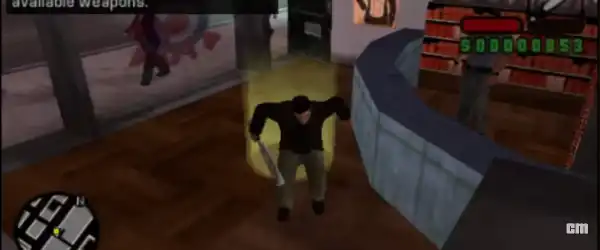
GTA Liberty City Stories takes you back to Liberty City, the iconic location also seen in GTA III. You play as Toni Cipriani, a loyal member of the Leone crime family, who returns to the city after laying low for a while. As Toni, your mission is to rise through the ranks of the mafia while dealing with rival gangs, corrupt officials, and dangerous missions.
The game offers:
- A full open-world experience
- Story-driven missions
- Side activities like taxi driving, vigilante missions, and more
- Classic GTA gameplay optimized for PSP
With PPSSPP, you can enjoy all of this on your smartphone with enhanced graphics and smoother performance.
GTA Liberty City Stories PPSSPP ISO Download
To play the game on Android, you’ll need the ISO file. The ISO is basically a digital copy of the original PSP game.
Steps to Download and Setup:
- Download the PPSSPP emulator from the Play Store.
- Get the GTA Liberty City Stories ISO file (usually in ZIP or 7z format).
- Extract the file using apps like ZArchiver.
- Open PPSSPP and locate the ISO file.
- Tap the game icon to start playing.
Make sure your device has enough storage and RAM for smooth gameplay.
Best PPSSPP Settings for Smooth Gameplay
To enjoy GTA Liberty City Stories without lag, you need to optimize your PPSSPP settings.
Graphics Settings:
- Rendering Mode: Buffered Rendering
- Frame Skipping: Off (or 1 if lagging)
- Texture Filtering: Auto
- Rendering Resolution: 2x PSP (adjust based on device)
- Hardware Transform: On
- Software Skinning: On
- Lazy Texture Caching: On
Performance Settings:
- Fast Memory: Enabled
- Multithreaded: Enabled
- I/O Timing Method: Fast
These settings will help you achieve stable gameplay and better visuals.
60FPS Settings for GTA Liberty City Stories
By default, GTA Liberty City Stories runs at 30FPS on PSP. However, you can unlock 60FPS using cheats or patches.
How to Enable 60FPS:
- Open PPSSPP emulator
- Long press on the game icon
- Select “Cheats”
- Enable cheat option
- Add 60FPS cheat code
Example 60FPS Cheat Code:
_C1 60 FPS
_L 0x202A4C70 0x00000001
After enabling this, your game will run smoother, especially on mid-range and high-end devices.
GTA Liberty City Stories Cheats (PPSSPP)
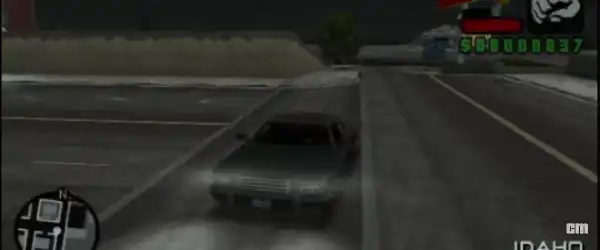
Using cheats can make the game more fun and easier. You can unlock weapons, vehicles, health, and more.
Popular Cheat Codes:
Infinite Health:
_C1 Infinite Health
_L 0x2062F2D4 0x447A0000
Infinite Money:
_C1 Max Money
_L 0x2052B9B8 0x05F5E0FF
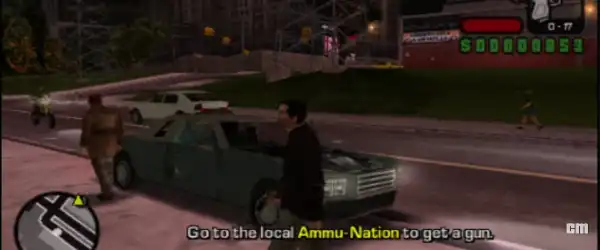
All Weapons:
_C1 All Weapons
_L 0xD0000000 0x1000
_L 0x2052B9C0 0xFFFFFFFF
Wanted Level Zero:
_C1 No Police
_L 0x2052B9D0 0x00000000
How to Add Cheats:
- Open PPSSPP
- Tap and hold the game icon
- Go to “Cheats”
- Tap “Edit Cheat File”
- Paste the cheat codes
- Save and enable them
Features of GTA Liberty City Stories on PPSSPP
Playing GTA Liberty City Stories on PPSSPP comes with several advantages compared to the original PSP version:
1. Enhanced Graphics
You can increase resolution and apply texture filters for better visuals.
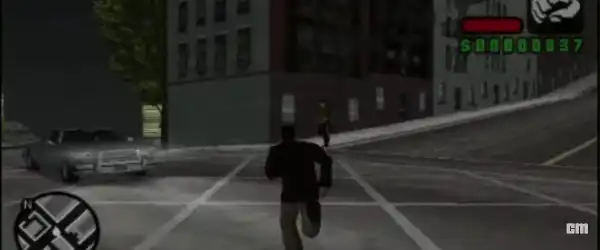
2. Smooth Controls
Customize on-screen controls or connect a controller for a better experience.
3. Save Anytime
Use save states to save your progress instantly.
4. Cheat Support
Easily enable cheats without complicated steps.
5. High FPS Gameplay
Enjoy smoother gameplay with 60FPS settings.
Tips for Better Performance
If your game is lagging, try these tips:
- Lower the rendering resolution
- Turn off unnecessary background apps
- Use frame skipping if needed
- Enable “Skip Buffer Effects” for low-end devices
- Keep your PPSSPP updated
These tweaks can significantly improve your gameplay experience.
Minimum Requirements
To run GTA Liberty City Stories smoothly, your device should meet these requirements:
- Android Version: 5.0 or higher
- RAM: At least 2GB
- Processor: Snapdragon 600 series or equivalent
- Storage: 1GB free space
Higher-end devices will deliver much better performance, especially with 60FPS enabled.
Why Play GTA Liberty City Stories in 2026?
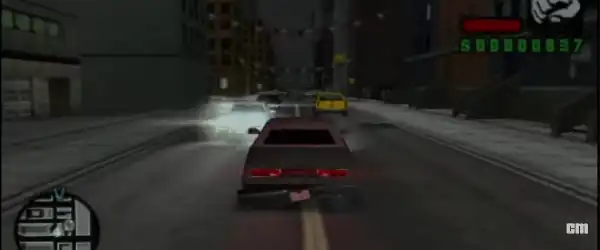
Even after many years, GTA Liberty City Stories remains a fan-favorite because of its engaging storyline and classic GTA feel. With PPSSPP, you can relive the nostalgia with modern enhancements like HD graphics and smoother gameplay.
It’s perfect for:
- GTA fans who love classic titles
- Players with low-end devices
- Gamers who want offline open-world action
Conclusion
GTA Liberty City Stories on PPSSPP is one of the best ways to enjoy a classic GTA experience on Android. With the ISO file, optimized settings, cheat codes, and 60FPS tweaks, you can transform the game into a smooth and visually enhanced experience.
By following this guide, you’ll be able to:
- Download and install the game easily
- Apply the best PPSSPP settings
- Enable 60FPS gameplay
- Use cheats for more fun
So, get ready to explore Liberty City, complete exciting missions, and dominate the streets like a true gangster!