
Monster Hunter Portable 3rd PPSSPP Walkthrough
If you’re a fan of action-packed hunting games, Monster Hunter Portable 3rd is one of the best titles ever released on PSP. Originally launched only in Japan, this game gained massive popularity worldwide due to its engaging gameplay, improved mechanics, and stunning visuals. Thanks to the PPSSPP emulator and English patch, Android users can now fully enjoy this masterpiece in English.
In this complete guide, you’ll learn everything about downloading, installing, and playing Monster Hunter Portable 3rd on PPSSPP, along with cheats, features, and tips to enhance your gameplay experience.

What is Monster Hunter Portable 3rd?
Monster Hunter Portable 3rd is an action role-playing game developed by Capcom. It focuses on hunting massive monsters in a beautifully designed world inspired by Japanese culture. Players take on the role of a hunter tasked with completing quests, gathering resources, crafting weapons, and defeating powerful creatures.
Unlike previous Monster Hunter games, this version introduced smoother controls, better graphics, and a more beginner-friendly experience, making it one of the most loved entries in the series.
Key Features of the Game
1. Stunning Graphics on PPSSPP
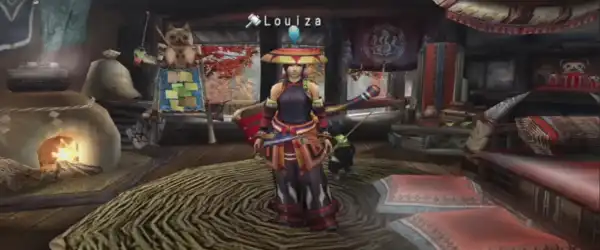
With the PPSSPP emulator, you can upscale the game resolution, making it look far better than the original PSP version. On modern Android devices, the visuals become sharper, smoother, and more immersive.
2. English Patch Support
Since the game was originally released in Japanese, the English patch allows players worldwide to understand the story, quests, menus, and dialogues easily.
3. Massive Monster Variety
The game features dozens of unique monsters, each with different attack patterns and weaknesses. Learning how to defeat each one is part of the challenge and fun.
4. Advanced Weapon System
There are multiple weapon types like Great Sword, Long Sword, Bow, Dual Blades, and more. Each weapon has its own playstyle, combos, and strengths.
5. Offline and Multiplayer Gameplay
You can play solo or enjoy multiplayer mode with friends using local or online PPSSPP multiplayer features.
How to Download Monster Hunter Portable 3rd PPSSPP
Follow these simple steps:
- Download the PPSSPP Emulator from the Play Store.
- Download the Monster Hunter Portable 3rd ISO file (English patched).
- Extract the ZIP file using ZArchiver or any file manager.
- Move the ISO file to your preferred folder (e.g., PSP/GAME).
- Open PPSSPP emulator.
- Locate the ISO file and launch the game.
How to Install English Patch (If Not Pre-Patched)
If your game is not already patched:
- Download the English Patch file.
- Extract it using ZArchiver.
- Replace the original files in the game directory.
- Restart PPSSPP and launch the game.
Now you can enjoy the game fully in English.
Best PPSSPP Settings for Smooth Gameplay
To get the best performance, use these settings:
Graphics Settings:
- Rendering Resolution: 2x or 3x PSP
- Frameskipping: Off
- Texture Filtering: Auto
- Hardware Transform: On
- Lazy Texture Caching: On
System Settings:
- Fast Memory: Enabled
- Multithreaded: Enabled
These settings will ensure smooth gameplay even on mid-range Android devices.
Cheats for Monster Hunter Portable 3rd PPSSPP
Using cheats can make the game easier and more fun. Below are some popular cheat options:
1. Infinite Health
Never worry about dying during tough monster battles.
2. Max Money (Zenny)
Unlock unlimited in-game currency to buy weapons, armor, and items.
3. One Hit Kill
Defeat monsters instantly with a single attack.
4. Unlimited Stamina
Run, dodge, and attack without losing stamina.
5. Max Items
Get unlimited potions, traps, and crafting materials.
How to Enable Cheats in PPSSPP
- Open PPSSPP Emulator
- Go to Settings → System
- Enable “Cheats”
- Launch the game
- Open Pause Menu → Cheats
- Add or import cheat codes
- Enable desired cheats
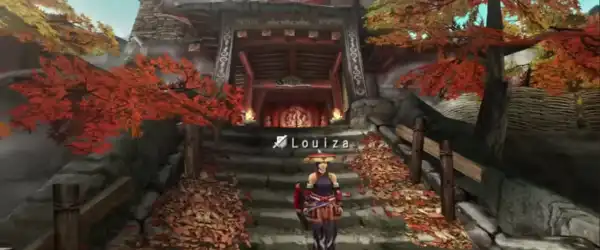
Now your cheats will work in-game.
Gameplay Tips for Beginners
1. Learn Monster Patterns
Each monster has unique attack patterns. Study them to dodge and counter effectively.
2. Upgrade Your Gear
Always upgrade your weapons and armor to deal more damage and survive longer.
3. Use the Right Weapon
Experiment with different weapons to find what suits your playstyle best.
4. Stock Up on Items
Always carry potions, traps, and buffs before heading into a hunt.
5. Don’t Rush
Patience is key in Monster Hunter. Observe, plan, and attack strategically.
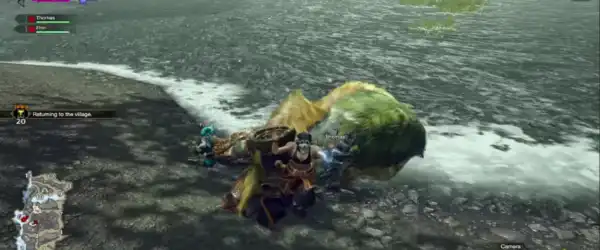
Why Play Monster Hunter Portable 3rd on Android?
Playing this game on Android via PPSSPP offers several advantages:
- Better graphics and resolution
- Save and load anytime
- Custom controls
- Cheat support
- Portable gaming experience
You get the classic PSP experience with modern enhancements.
Common Issues and Fixes
Game Lagging?
- Lower resolution settings
- Turn off unnecessary graphics enhancements
Game Crashing?
- Use the latest PPSSPP version
- Re-download a clean ISO file
Black Screen?
- Enable “Buffered Rendering”
- Change backend (OpenGL/Vulkan)
Final Thoughts
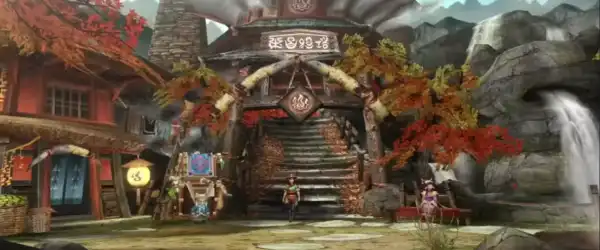
Monster Hunter Portable 3rd remains one of the greatest PSP games ever made. With its deep combat system, massive monster roster, and engaging gameplay, it offers endless hours of entertainment. Thanks to PPSSPP and the English patch, players around the world can now fully enjoy this incredible game on their Android devices.
Whether you’re a longtime Monster Hunter fan or a newcomer, this game is definitely worth trying. Add cheats if you want a more relaxed experience, or play it normally for a true hunting challenge.