
PES 2014 PPSSPP Walkthrough
If you’re a fan of classic football games, PES 2014 PPSSPP is still one of the most enjoyable titles to play on Android devices. Even though it’s an older game, with the help of updated textures, save data, and PS4-style camera mods, you can transform it into a modern football experience. In this guide, we’ll walk you through everything you need to know about PES 2014 PPSSPP, including features, setup process, and how to enhance your gameplay with realistic graphics.

What is PES 2014 PPSSPP?
PES 2014 (Pro Evolution Soccer 2014) is a football simulation game originally released for consoles. With the help of the PPSSPP emulator, you can play this game on Android devices smoothly. PPSSPP allows you to run PSP games with improved graphics, better controls, and enhanced performance.
Even today, PES 2014 remains popular because of its smooth gameplay mechanics, realistic ball physics, and engaging football experience. When combined with updated textures and mods, the game feels much more modern.
Key Features of PES 2014 PPSSPP
1. Smooth Gameplay
One of the biggest strengths of PES 2014 is its fluid gameplay. Passing, shooting, and dribbling feel natural and responsive.
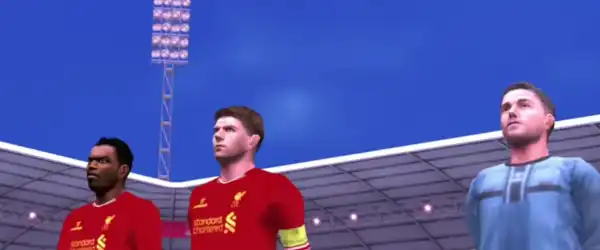
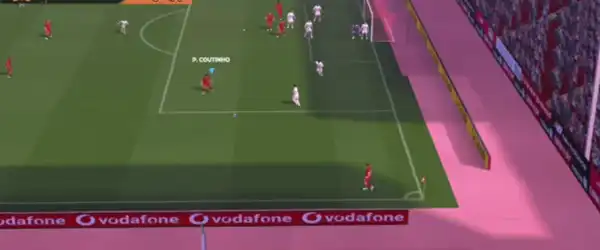
2. Realistic Graphics (With Textures)
By installing updated texture files, you can improve:
- Player faces
- Kits and jerseys
- Stadiums
- Grass quality
This gives the game a fresh and modern look.
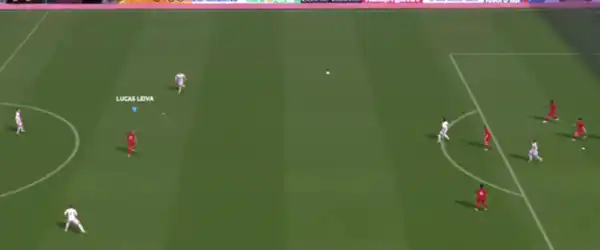
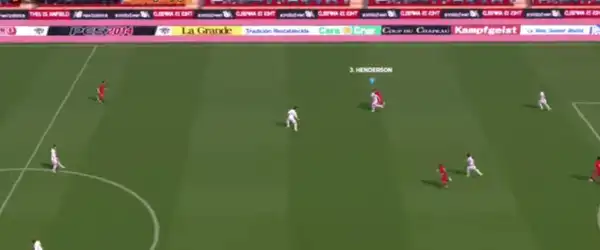
3. PS4 Camera Mod
The PS4 camera angle is a game-changer. It provides:
- Wider field view
- Broadcast-style experience
- Better tactical awareness
This makes the gameplay feel similar to newer console football games.
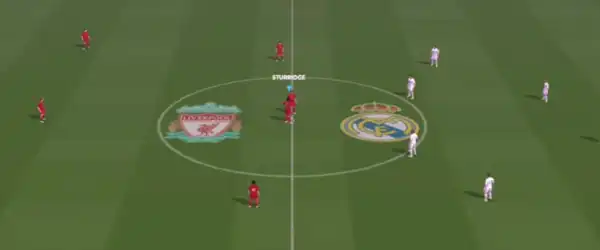
4. Updated Save Data
Save data files help you unlock:
- Latest transfers
- Updated teams
- New formations
- Improved player stats
With updated save data, PES 2014 feels like a current football season game.
5. Offline Gameplay
One of the best parts is that the game is completely offline. You don’t need an internet connection to enjoy matches.
Requirements to Run PES 2014 PPSSPP
Before installing the game, make sure your device meets these requirements:
- Android version: 5.0 or higher
- RAM: Minimum 2GB (Recommended 3GB+)
- Storage: At least 1.5GB free space
- PPSSPP Emulator installed
A mid-range device will run the game smoothly with no lag.
Files You Need
To set up PES 2014 PPSSPP with all enhancements, you’ll need:
- PSP ISO file (game file)
- Textures (graphics improvements)
- Save data (updated teams and progress)
- PPSSPP Emulator
Make sure you obtain these files from legitimate and legal sources.
How to Install PES 2014 PPSSPP on Android
Follow these simple steps to install the game:
Step 1: Install PPSSPP Emulator
Download and install the PPSSPP emulator from the Google Play Store.
Step 2: Extract Files
If your files are compressed (ZIP/RAR), extract them using a file manager or extraction app.
Step 3: Move ISO File
Place the PES 2014 ISO file in a folder such as: Internal Storage > PSP > GAME
Step 4: Install Save Data
Copy the save data folder to: Internal Storage > PSP > SAVEDATA
Step 5: Add Textures
Move texture files to: Internal Storage > PSP > TEXTURES
If the TEXTURES folder does not exist, create one manually.
Step 6: Launch the Game
Open PPSSPP emulator and locate the game ISO file. Tap on it to start playing.
Best PPSSPP Settings for Smooth Gameplay
To enjoy lag-free gameplay, adjust these settings:
Graphics Settings:
- Rendering mode: Buffered rendering
- Frame skipping: Off
- Texture scaling: Medium
- Anisotropic filtering: On
System Settings:
- Fast memory: On
- Multithreaded: On
Controls:
You can customize on-screen controls or connect an external controller for better gameplay.
Benefits of Using Textures and Mods
Installing textures and mods enhances the overall experience significantly. Here’s how:
Improved Visual Quality
Modern kits, realistic player faces, and HD stadiums make the game look new.
Updated Transfers
You can play with current squads and enjoy updated lineups.
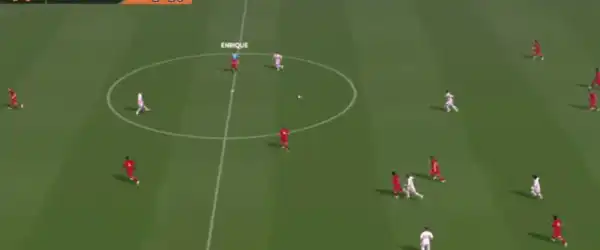
Realistic Camera Angle
The PS4 camera provides a professional broadcast feel.
Better Immersion
All these upgrades combine to make the game more engaging and enjoyable.
Tips for Better Gameplay
- Practice passing and ball control for smoother gameplay
- Adjust camera settings for better visibility
- Use updated formations from save data
- Play in tournaments and leagues to improve skills
Common Issues and Fixes
1. Game Lagging
- Lower graphics settings
- Close background apps
2. Black Screen
- Recheck ISO file
- Enable “Buffered Rendering”
3. Textures Not Working
- Ensure correct folder placement
- Enable “Load Textures” in PPSSPP settings
4. Game Not Showing in Emulator
- Check file location
- Refresh PPSSPP directory
Why PES 2014 PPSSPP is Still Popular
Despite newer football games being available, PES 2014 remains a favorite due to:
- Lightweight performance
- Offline availability
- Easy mod support
- Nostalgic gameplay
For many players, it offers the perfect balance between realism and simplicity.
Final Thoughts
PES 2014 PPSSPP is a fantastic football game that still holds up in 2026, especially when enhanced with textures, save data, and PS4 camera mods. With the right setup, you can enjoy a modern football experience on your Android device without needing a high-end phone or internet connection.
Whether you’re a casual player or a hardcore football fan, this game offers endless entertainment. Just follow the installation steps carefully, apply the recommended settings, and you’ll be ready to dominate the pitch.