

PES 2024 PPSSPP Walkthrough
If you’re a football gaming fan who loves playing on mobile, then PES 2024 PPSSPP Camera PS5 Offline Game (Chelito 19 ISO) is something you shouldn’t miss. This version brings a next-gen console-like experience to your Android device, combining smooth gameplay, updated teams, realistic graphics, and the highly demanded PS5-style camera view. In this detailed guide, you’ll learn everything about the game, including features, requirements, and how to download and install it step by step.

What is PES 2024 PPSSPP Chelito 19 ISO?
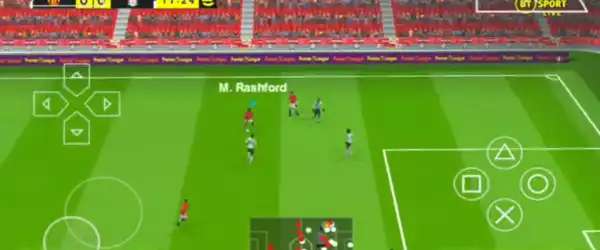
PES 2024 PPSSPP Chelito 19 ISO is a modified version of the classic Pro Evolution Soccer game designed to run on the PPSSPP emulator. It has been updated with the latest 2024 transfers, improved kits, new player faces, and enhanced gameplay mechanics. The standout feature of this version is the PS5 camera angle, which gives you a more immersive and realistic football viewing experience.
Unlike traditional PES mobile games, this version is completely offline, meaning you don’t need an internet connection to enjoy matches, tournaments, or career mode.
Key Features of PES 2024 PPSSPP Chelito 19
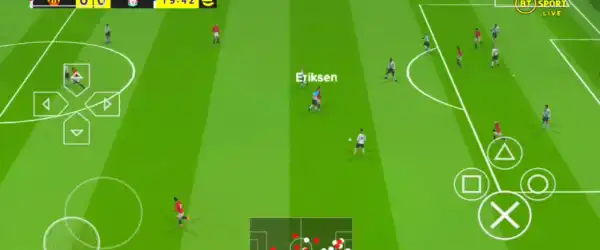
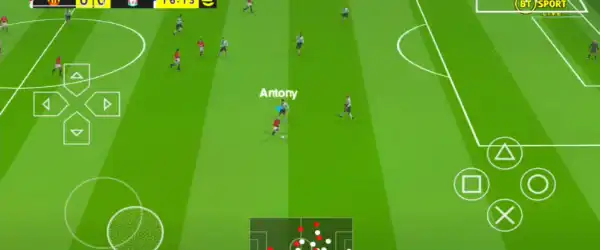
1. PS5 Camera View
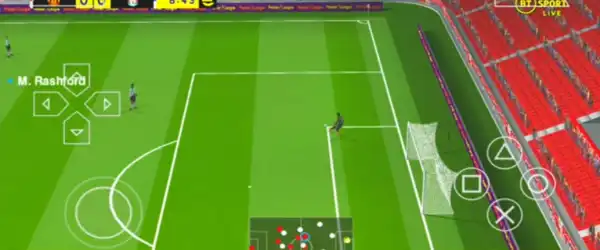
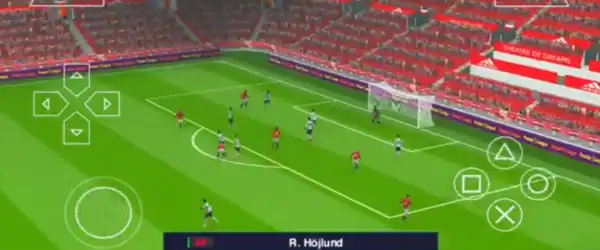
One of the biggest highlights is the PS5 camera angle. This dynamic camera gives a wide, cinematic view of the pitch, making gameplay feel more realistic and immersive.
2. Updated Transfers 2024
All major clubs and national teams are updated with the latest transfers. You can play with current squads featuring the newest signings and formations.
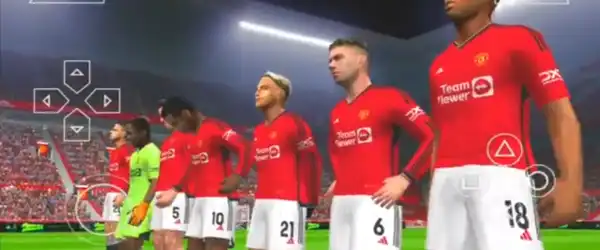
3. Realistic Graphics
The game includes HD textures, improved lighting, and better player models. Even though it runs on PPSSPP, the graphics feel close to console-level quality.
4. Offline Gameplay
No internet? No problem. This version works completely offline, so you can enjoy matches anytime, anywhere.
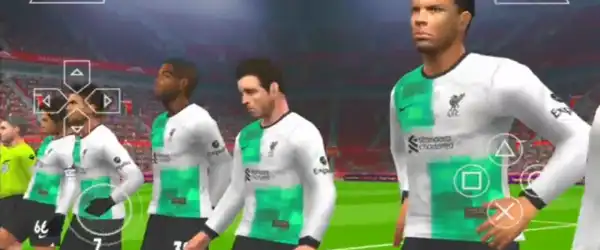
5. New Kits and Logos
All teams come with updated kits for the 2023/2024 season, along with official logos and badges.
6. Smooth Controls
Optimized controls ensure a lag-free experience even on mid-range Android devices.
7. Commentary & Sound
Enhanced commentary and realistic crowd sounds add to the overall match atmosphere.
8. Multiple Game Modes
- Exhibition Match
- League Mode
- Cup Tournaments
- Master League
Game Requirements
Before downloading the game, make sure your device meets the following requirements:
- Android Version: 5.0 or above
- RAM: Minimum 2GB (Recommended 3GB+)
- Storage: At least 1GB free space
- PPSSPP Emulator: Latest version installed
Files You Need to Download
To run PES 2024 PPSSPP Chelito 19, you will need:
- ISO File (Game file)
- Save Data (optional but recommended)
- Texture File (for better graphics)
- PPSSPP Emulator
Make sure you download all files from a trusted source to avoid corrupted files.
How to Download PES 2024 PPSSPP Chelito 19 ISO
Follow these steps carefully:
- Download the ISO file from a trusted website.
- Download the Texture and Save Data files if available.
- Install the PPSSPP emulator on your Android device.
- Use a file extractor app like ZArchiver to extract downloaded files.
Step-by-Step Installation Guide
Step 1: Extract Files
After downloading, extract the ISO, Texture, and Save Data files using ZArchiver or any similar app.
Step 2: Move Save Data
- Go to:
Android > PSP > SAVE DATA - Paste the Save Data folder here
Step 3: Move Texture File
- Go to:
Android > PSP > TEXTURES - Paste the texture folder here
Step 4: Load the ISO
- Open PPSSPP Emulator
- Locate the extracted ISO file
- Tap on it to launch the game
Best PPSSPP Settings for Smooth Gameplay
To get the best performance and graphics, use these settings:
Graphics Settings:
- Rendering Mode: Buffered Rendering
- Frame Skipping: Off
- Texture Scaling: x2 or x3
- Anisotropic Filtering: On
- Backend: OpenGL or Vulkan
Performance Settings:
- Fast Memory: On
- Multithreaded: On
- Lazy Texture Caching: On
Controls:
Customize controls based on your preference for better gameplay.
Tips for Better Gaming Experience
- Use a gamepad for a console-like experience
- Keep background apps closed to reduce lag
- Use Vulkan backend for better performance (if supported)
- Adjust camera settings in-game for best PS5 view
Why Choose Chelito 19 Version?
There are many PES PPSSPP mods available, but Chelito 19 stands out because of its:
- Stable gameplay
- Regular updates
- High-quality textures
- Realistic PS5 camera implementation
It offers a perfect balance between performance and visuals, making it ideal for both low-end and high-end devices.
Pros and Cons
Pros:
- Offline gameplay
- Updated squads and kits
- PS5 camera angle
- Smooth performance
- Easy installation
Cons:
- Requires manual setup
- May lag on low-end devices
- Not officially licensed
Is PES 2024 PPSSPP Safe to Download?
Yes, as long as you download from a trusted source. Avoid suspicious websites and always scan files before installing.
Final Thoughts
PES 2024 PPSSPP Camera PS5 Offline Game (Chelito 19 ISO) is one of the best football games you can play on Android using the PPSSPP emulator. With updated squads, realistic graphics, and the stunning PS5 camera view, it delivers a console-like experience right in your pocket.
Whether you’re a casual gamer or a hardcore football fan, this game is definitely worth trying. Just follow the installation steps carefully, optimize your settings, and enjoy smooth, immersive football action anytime, anywhere.